CrossOver 26
Official license · Direct from developer
Overview
About CrossOver 26
CrossOver 26 by CodeWeavers helps you run many Windows applications on macOS without setting up a separate Windows virtual machine or rebooting into another operating system. It uses Wine-based compatibility layers to translate Windows calls into native Mac behavior, which can reduce overhead versus traditional VM workflows for supported apps. For buyers who need practical access to Windows-only tools while staying in macOS, CrossOver 26 is a focused compatibility option.
Audience
Who Is CrossOver 26 For?
CrossOver 26 is best for Mac users who need selected Windows business apps, utility tools, and game launchers without maintaining a full Windows installation. It is especially useful for developers, operations teams, and productivity users who want lower setup friction than dual-boot or VM-heavy workflows, while accepting that app compatibility depends on CrossOver support.
Capabilities
Key Features
- Run many Windows apps on macOS without buying a separate Windows license
- Launch Windows applications inside your normal Mac workflow without rebooting
- Use Wine-based compatibility bottles for app-specific setup and isolation
- Share files between macOS and compatible Windows app environments
- Supports Apple silicon and Intel Macs on current macOS releases
- Good fit for lightweight compatibility needs where full virtualization is unnecessary
Getting started
How to Buy & Activate
- 1
Purchase
Click "Buy Now" and complete checkout with your email. Payments are processed securely by Stripe.
- 2
Receive your product
Your CrossOver 26 will be delivered to your email within 15 minutes of payment.
- 3
Activate
Open CrossOver 26, follow the activation steps, and you're done. No account needed — works offline forever.
Customer Reviews
Loads like native for Linux workflow
It still amazes me when Word loads as if on Windows in about three seconds on my Linux system.
Makes Windows app access easier
Please keep up the good work so lazy people like me have it easier.
Strong alternative to VM route
Very impressive. A great alternative to Parallels.
- Publisher
- CodeWeavers, Inc.
- Listed version
- Version 26
- Platform support
- macOS 11+ on Apple silicon and Intel Macs (CrossOver 26 series); Linux editions are also available.
- Return policy
- CrossOver 26 follows a no-return policy after activation. Once activated, digital licenses are treated as final sales because access is provisioned immediately and tied to a unique activation record.
- Device activation
- Activation and support terms depend on selected CrossOver plan and CodeWeavers account policy.
- Delivery
- After checkout, CrossOver 26 access details are delivered by email with activation guidance so you can start quickly.
- Support
- CodeWeavers, Inc. handles product-specific troubleshooting for CrossOver 26, and our team helps route activation or order issues quickly when needed.
- Technical notes
- CrossOver uses Wine-based compatibility layers and app bottles to run many Windows apps on macOS without a full Windows VM.
CrossOver 26 is mainly used to run selected Windows applications on Mac without rebooting or maintaining a full virtual machine.
It is best for Mac users who need practical compatibility for Windows-only tools while staying in a native macOS workflow.
Yes. This listing provides a legitimate CrossOver 26 software entitlement from our catalog. Keep your order confirmation for activation and support reference.
After checkout, fulfillment details are sent by email with activation guidance. This listing is priced at $74 while the official CrossOver Life plan is listed at $494 on CodeWeavers.
If CrossOver 26 activation fails, contact support with your order email and the exact on-screen message so we can help resolve it quickly.
Related Apps
8 apps you might also like
Parallels Desktop 26
Run Windows 11 and Windows apps on Mac without rebooting
75% off$55
$220
Jump Desktop
Fast remote desktop client for Mac with Fluid, RDP, and VNC
43% off$20
$35
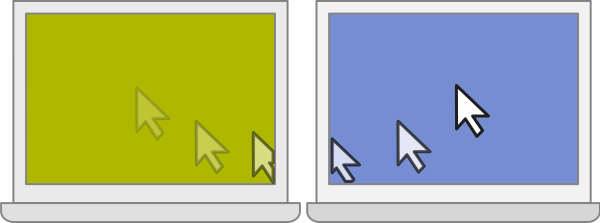
ShareMouse
Share one mouse & keyboard across multiple computers
43% off$56
$99
Duet Pro
Turn iPad or another device into a pro-grade second display
68% off$66
$209
QuitAll
Quit multiple running Mac apps in one action
47% off$8
$15
Timing
Automatic time tracking for macOS with AI summaries and team reporting
$15
$14/mo
iCollections
Desktop organizer and launcher for a cleaner, faster Mac workspace
44% off$22
$39
Focus 2
Website and app blocker for building distraction-free Mac work sessions
45% off$27
$49